
5 Amazing Creative Apps That Aren’t AI

AI tools are making a lot of noise right now, but there are some incredible applications out there that you may not have heard about. No prompts. No magic tricks. Just solid tools that respect your craft and demand your attention.
Here are five creative apps that prove you don’t need AI to feel inspired.

Procreate Dreams (iPad)
Dreams, the newest brainchild from the team that brought us Procreate, is 2D animation with power and portability. It takes everything people love about Procreate and applies it to motion. You draw, you move things, it plays back beautifully. The only downside is that it’s not actually a desktop application, because surely it would have an even bigger audience.

Rive (Web, Desktop App)
Rive isn’t so much a new tool as it is a new way of thinking for animators. It lets you build interactive motion. Free your mind from the old linear timeline approach. This is all “state machines”, kind of like a multiverse of animations that need to be activated by the user. With the latest scripting update, people are making full blown games all inside of Rive. Not only that, they’ve just announced 3D is coming. If you’re a motion designer right now and you don’t know about this application, you’re already behind.

Spline 3D (Web)
Spline is one of the most intuitive and friendly 3D applications I’ve ever used. You can model, animate, and publish scenes straight from the browser. It’s interactivity meets 3D. There’s already a really strong community around this tool and I can see why.
Womp (Web)
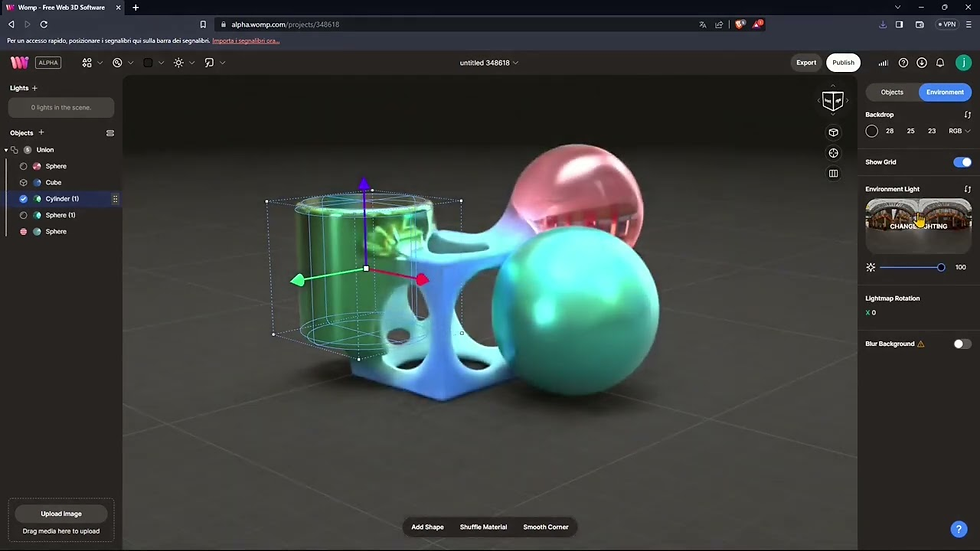
Womp is 3D for the two-dimensional people. It’s like working with clay. You build things by smooshing shapes together, adding them, subtracting them, until you’re left with what you saw in your head. No precision needed, no endless tweaking of settings, just playful, immediate form-making. It’s great for concepts, experiments, or reminding yourself that 3D can actually be fun. It’s really growing in popularity in conjunction with 3D printing, so if that’s your bag, this is the tool for you.

Feather (iPad)
If working in 3D feels a little too technical for you and you don’t want to render shapes so much as draw them, Feather 3D is here.
It’s basically drawing in 3D depth. If you’re familiar with Grease Pencil in Blender, you’ll feel right at home. It’s as simple as it sounds. Draw the front of your house, then pinch and twist the camera and draw the sides and back. Orbiting and drawing may feel alien at first, but after a while you’ll wonder what you ever did without that extra dimension.
None of these tools are trying to think for you. They’re just really good at getting out of your way and letting you make things. Give one a try and see where it takes you.


Comments